
Email tools
The all-in-one checker, client preview and dark mode, the scored pre-send report and its checks, spam and deliverability, Link Visualizer, Email Cleanup, and export.
Check everything at once with the all-in-one checker
The other tools each answer one question. The all-in-one email checker answers the broad one: is this email OK to send? You paste the HTML once and every engine runs on it, so you do not have to already know whether your problem is contrast, Outlook, or clipping.
It is free, needs no account, and runs entirely in your browser, so nothing you paste is uploaded. Results are ordered so you can stop reading early:
- A score and a verdict. One number out of 100, the count of critical and serious findings, and your HTML size against Gmail's clip line.
- The three worth fixing first. Ranked worst-first and capped at three on purpose, so a long report never buries the short answer.
- The mechanical repairs. The subset a machine can safely make for you, with a count of how many places each one touches. See One-click fixes.
- The full report, by engine. Structure and content, links and placeholders, client support across 20 client and platform combinations, Outlook Word-engine lint, WCAG AA contrast measured as authored and again inside a simulated Gmail dark inversion, and images. Only the sections holding a critical or serious finding open by default; the rest are one click away.
Two things behave differently, and the page says so where they appear. The SpamAssassin score is the one check that leaves your device, so it needs a free account to rate-limit; without one you get a link to the spam checker instead. And applying the mechanical fixes is part of a paid plan, though reading the complete list of them is free for everyone.
A few things are deliberately left out rather than run badly. Subject-line and preheader truncation belongs to the subject line preview, which measures it in pixels per client. Your sending domain's SPF, DKIM, and DMARC records are not in your HTML at all, so they live in the deliverability check. And a perfect score means nothing we can detect deterministically is wrong, which is not the same as safe: we check content and structure, never your sending reputation. Where our simulation can be wrong is written down in how our simulation works.
When the email is clean, bring it into Proofel and share one link so your team and clients can comment, annotate, and approve it (see Sharing and approvals). If you signed up from the checker, that has already happened: your original email is version 1 and the auto-fixed one is version 2, with the diff on screen.
How to preview an HTML email before sending
An email that looks perfect in your ESP's editor can fall apart in a real inbox, because mail clients render the same HTML in very different ways. Outlook for Windows still renders email with Word's engine, which drops rounded corners, shadows, and most modern layout. Gmail clips any message whose HTML is larger than roughly 102KB, and its mobile apps ignore media queries for non-Google accounts, so your mobile breakpoints may never fire. In dark mode, Gmail and Outlook force-invert your colors while Apple Mail honors the dark styles you authored, and no client inverts your images. Previewing before you send is how you catch all of that while it is still cheap to fix.
The quickest way to check is Proofel's free HTML email preview tool. It needs no account, and everything renders locally in your browser, so nothing you paste is uploaded anywhere.
- Bring the email in. Paste the HTML from your ESP's code view, or drag in a .eml or .html file. Inline images inside a .eml export are resolved automatically.
- Flip devices. Toggle between desktop and mobile, pick a named phone width, and rotate to landscape to make sure the layout holds at every size.
- Simulate dark mode. Switch the preview to dark and pick a client model to see how Apple Mail, Gmail, or Outlook would recolor the design.
- Apply a client lens. A Gmail or Outlook lens applies that client's documented rendering limits to your email and lists a plain-English note for every change it makes.
- Read the insights. A strip under the preview shows your HTML size against Gmail's clip limit, counts links and UTM tags, and flags images that are missing alt text or served over http.
- Open the view options. Block remote images to see what a first-open reader gets, drop the Gmail clip line into the document to see exactly where it would cut, open the inbox-row preview to check your subject and preheader, or open the state grid to see several combinations at once. All of it is free, on every plan.
With an account you can also run the full pre-send report: a 100-point score over 15+ checks, plus the client support matrix, Outlook Word-engine lint, the accessibility audit, one-click fixes, an image audit, an optional SpamAssassin score, and a test send to your own inbox. See Pre-send checks.
A preview confirms the email renders; it does not put anyone's sign-off on the record. Once the design looks right, bring the same email into Proofel and share one link so your team and clients can comment, annotate, and formally approve (see Sharing and approvals). From there, the Link Visualizer screenshots every link destination for you, and Email Cleanup compresses an oversized email back under Gmail's clip limit before you export it.
Desktop and mobile preview
Toggle between desktop and mobile right in the viewer to see the real email at each width, exactly as a subscriber on that device would.
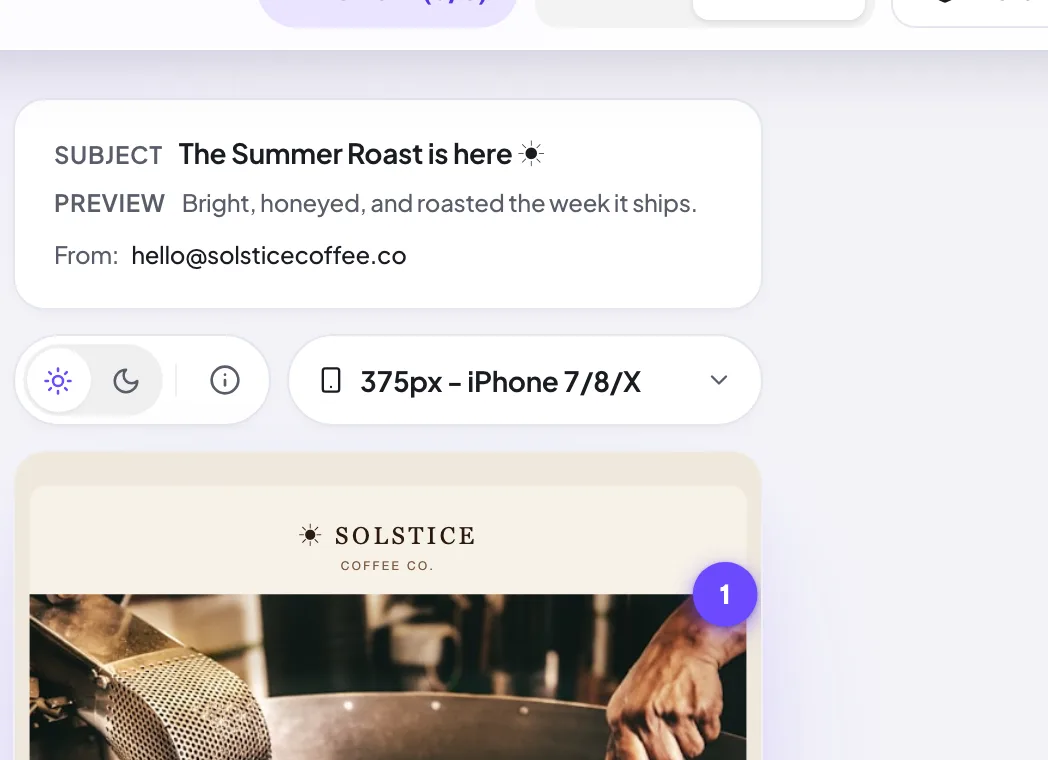
In mobile mode, a device selector above the email lets you preview a range of common phone widths by name, so you can check the layout holds up on the handsets your audience actually uses. You can rotate to landscape too, which is where a fixed-width table usually gives itself away.
Alongside the width, you can apply a client lens: one of 20 client, browser and operating-system combinations, each mapped to the engine that really renders it (Blink, WebKit, Gecko, or Word). The lens applies only transforms traceable to a documented limitation of that engine, and every change it makes comes with a plain-English note saying what changed and why. Device widths and client lenses are both free, on every plan.
Dark-mode simulator
Mail clients treat dark mode differently, and Proofel models each one. Use the light/dark toggle above the email, then pick a client. Apple Mail honors your authored dark-mode CSS with a gentle partial inversion; Gmail and Outlook force a full color inversion. The simulation converts your colors to CIELAB, inverts lightness around a per-client model, then converts back, which preserves hue while flipping luminance, the way those clients actually repaint. Images are never inverted, exactly as no real client inverts them.
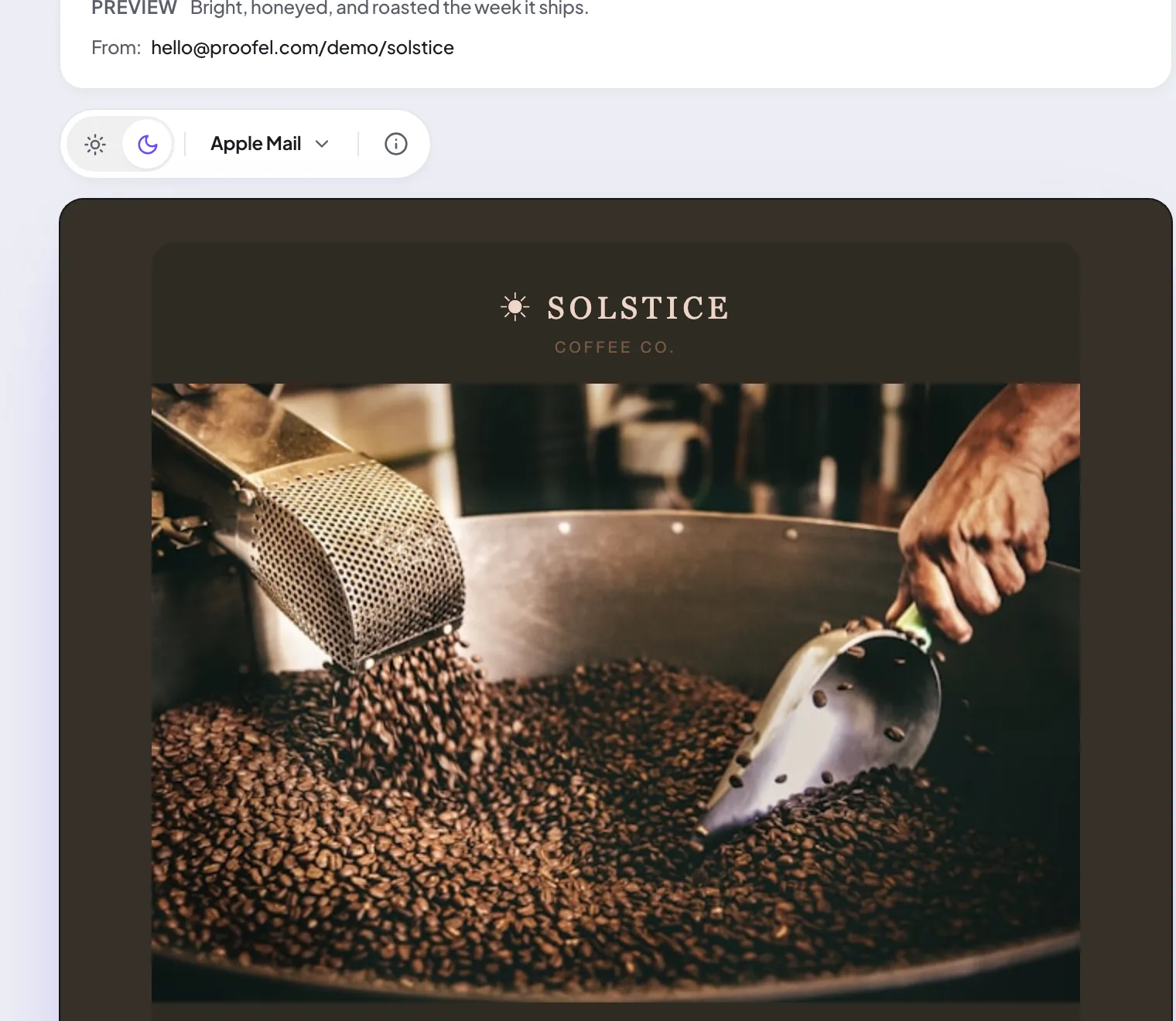
The dark-mode simulator is free on every plan, including Free, and the same engine runs with no account at all in the free preview tool. It was briefly a paid feature; gating it made no sense when our own public tool gave it away one click later.
A simulation is still an approximation. For anything critical, test on a real device too, and see how our simulation works for exactly what it can and cannot tell you.
View options: blocked images, clip line, inbox rows, state grid
The View options menu above the email turns on extra ways of looking at the same design. Every one of them is free, on every plan.
- Block remote images. Many clients and corporate gateways do not load images until the reader asks. This shows what arrives before they do, which is how you find out your whole offer lives inside a hero image.
- Gmail clip line. Draws a line in the document at the point where Gmail's roughly 102KB limit would cut the message, so you can see what falls below the fold rather than just reading a number.
- Inbox row preview. Shows your sender name, subject, and preheader as several real clients would list them, clipped at the pixel in each client's own font and column width.
- State grid. Renders several combinations side by side, so dark mode plus blocked images plus a narrow width is one glance instead of four.
- Colour vision. Applies a protanopia, deuteranopia, or tritanopia lens so you can check a design does not rely on a red and green pair alone.
Pre-send checks: the scored report
ProOpen Checks in the canvas header (or Pre-send checks from the overflow menu on a narrow screen) to run the pre-send report over the version you are looking at. It returns a score out of 100 and a list of findings, worst first, grouped into sections you can work through: Quick fixes, Structure and content, Client support, Outlook (Word engine), Accessibility, Images, Placeholders and leftovers, Links, and Spam score.
Be clear about what the number is. The score starts at 100 and each failing or warning check subtracts a fixed deduction, and those deductions are severity weights we chose, not an industry standard. A score is a triage order, telling you what to look at first. It is not a guarantee that a campaign will land, and nothing on this site can promise that.
The report runs on the email's HTML, not on a screenshot, which is what lets a finding point at the specific declaration or tag that caused it. The pre-send report is available on Pro and above; a lighter version of the same engine runs with no account in the free preview tool.
Client support matrix
ProThe Client support section of the pre-send report walks everything your email actually uses, CSS declarations, values, units, functions, selectors, at-rules, HTML elements, attributes, and image formats, and reports how the 20 client targets we model treat each one, with the source line so you can find it.
The verdicts come from the Can I email? dataset (caniemail.com, MIT licensed, maintained by HTeuMeuLeu and contributors). They are real test results rather than guesses, but they are point in time, and they reflect the newest tested version of each client. The detection of which features your email uses is ours, and it is deliberately incomplete: caniemail tracks hundreds of features and we map the subset that realistically shows up in email. Anything we cannot map is ignored rather than guessed at.
So read "no findings" as "nothing we recognise is risky", not "this email is safe everywhere". Usages every modelled client fully supports produce no finding at all, and untested combinations are never counted against a client. The market-share weighting on a finding is our own editorial estimate, and is labelled as one.
Outlook (Word engine) lint
ProOutlook 2007 to 2024 for Windows lays email out with Microsoft Word's rendering engine rather than a browser engine. The Outlook (Word engine) section lints your HTML against Word's documented constraints and the idioms the email community built around them, and points at the exact declaration or tag that will break, with a line number and what to write instead.
That covers the properties Word drops (border-radius, box-shadow, flexbox, grid) and the structural rules a support matrix does not model at all: VML namespaces and conditional wrapping, the 120-DPI PixelsPerInch bug, mso-line-height-rule, table hygiene, and cell widths.
What it deliberately does not do is show you a picture. Emulating Word pixel for pixel in a web preview is not possible, and a half-emulation is confidently wrong, so we lint and explain instead of pretending. If classic Outlook for Windows is a large share of your list, test a high-stakes campaign on a real Windows Outlook as well. Available on Pro and above.
Accessibility audit
ProThe Accessibility section measures WCAG 2.1 AA contrast from the resolved cascade in a sandboxed frame, so it accounts for inheritance, alpha compositing, and legacy bgcolor hints rather than reading the CSS you wrote. Large text thresholds are applied at 18.66px, or 14px when bold.
It then measures the same text a second time inside a simulated Gmail dark-mode inversion. That is the finding worth the price of admission: a colour pair can pass in light and fail once inverted, because the two colours do not move by the same amount. A screenshot-based tool cannot produce it, because a photograph has no colour model left to measure.
You also get a read-aloud transcript in the order a screen reader announces things, and colour-vision-deficiency lenses using the Machado, Oliveira and Fernandes (2009) matrices applied in linear light.
Where the effective background genuinely cannot be known, text over a gradient, over a background image, or with a fully transparent ancestor chain, the finding is reported as unverifiable rather than given a made-up ratio. It is never counted as a pass. Available on Pro and above; the same engine runs free at the accessibility checker.
One-click fixes
ProThe Quick fixes section lists the findings Proofel can repair for you: role="presentation" on layout tables, mso-line-height-rule, the MSO PixelsPerInch block, a viewport meta tag, rel="noopener" on external links, max-width on images, and similar boilerplate that hand-built HTML keeps forgetting.
Every fix obeys three rules, and they are worth knowing before you apply any:
- Deterministic and idempotent. No model, no guessing, no network call. Applying a fix twice produces byte-identical HTML.
- It never invents content. No alt text, preheader copy, or link destination is written for you. Where a human has to decide, Proofel installs the empty structure and tells you it is your call.
- It never changes the visible design. Attributes only. The one fix with a measurable rendering effect, table hygiene, says so itself, because zeroing a browser's default cellpadding can tighten a table by a few pixels.
What is free and what is not. Seeing the list is free: which fixes your email needs and how many places each one would touch, everywhere the fixes are offered, including the free tools with no account at all. Applying them, which is what produces the rewritten HTML, is available on Pro and above, and is included in every new account's 14-day trial. You review the result before it goes anywhere.
What cannot be fixed this way. Contrast ratios, alt text for images that carry meaning, screen-reader reading order, client support gaps, image weight, Gmail clipping, and your subject line all need a person. They stay on the report as findings and are never counted in the fix total, so the number on the button is only ever the work a machine can actually do.
Spam score
ProThe Spam score section returns a real Apache SpamAssassin score for the email, run on request through Postmark's public SpamCheck service. It is not computed on your machine, because a real filter has to see the whole message, so this is the one check that sends your HTML off-device. Nothing is stored.
Read it for what it is. SpamAssassin is one widely deployed open-source filter, not Gmail, Outlook.com, or Yahoo, all of which use proprietary systems fed largely by your sending reputation and your recipients' behaviour. A good score is not a delivery promise, and a bad one is usually a structural problem worth fixing anyway.
Some rules fire only because the test runs without a real send, NO_RECEIVED, NO_RELAYS, MISSING_DATE, and those are labelled as artefacts of testing rather than problems with your email. Available on Pro and above; the same check runs with a free account at the spam checker.
Send a test to your own inbox
ProEvery client preview on this site is a simulation. The honest answer to that is one button: send the design to your own inbox and open it in your real mail app, on your real phone. You will find it in the pre-send checks dialog.
The recipient is not a setting. Proofel only ever delivers a test to the confirmed address on your own account, and there is deliberately no way to aim it somewhere else, because that single rule is what keeps an outbound-mail endpoint from becoming an open relay. The subject is prefixed with [Proofel test] and a short footer is added so a test can never be mistaken for the real campaign.
Test sends are rate limited to 10 an hour and 30 a day, and nothing is stored. This is a Pro feature and above.
Check your sending domain (SPF, DKIM, DMARC)
Rendering is only half of a confident send. The other half is whether receiving servers trust the domain you send from. The deliverability check reads your domain's records live over DNS and tells you what is missing, with the exact TXT host and value to publish. It is free, needs no account, and you can reach it from the Checks menu in the canvas header via Free email tools.
It covers:
- SPF, with recursive include and redirect resolution, a DNS lookup count against the RFC 7208 limit of 10, and multiple-record, +all, deprecated ptr, and broken-include detection.
- DKIM, by named selector or a probe of common selectors, flagging revoked keys, t=y test mode, and weak keys.
- DMARC, including policy, subdomain policy, pct, reporting addresses, alignment, and whether it is inherited from a parent domain.
- MX (including a null MX), plus BIMI, MTA-STS and TLS-RPT.
Blocklists are deliberately not checked, and the omission is reported as its own finding. A DNSBL answer is only truthful from the resolver that will actually deliver your mail, and the major lists refuse queries from public resolvers, where a refusal is indistinguishable from "not listed". A green tick we cannot stand behind is worse than no tick.
Link Visualizer
ProOpen the email and click Links in the canvas header. The Link Visualizer extracts every hyperlink, numbers it on the design, follows redirects (including ESP tracking wrappers) to the final destination, and captures a live screenshot plus HTTP status for each one. You verify every link visually in a single pass instead of clicking them one by one, and reviewers can comment on a specific link's card.
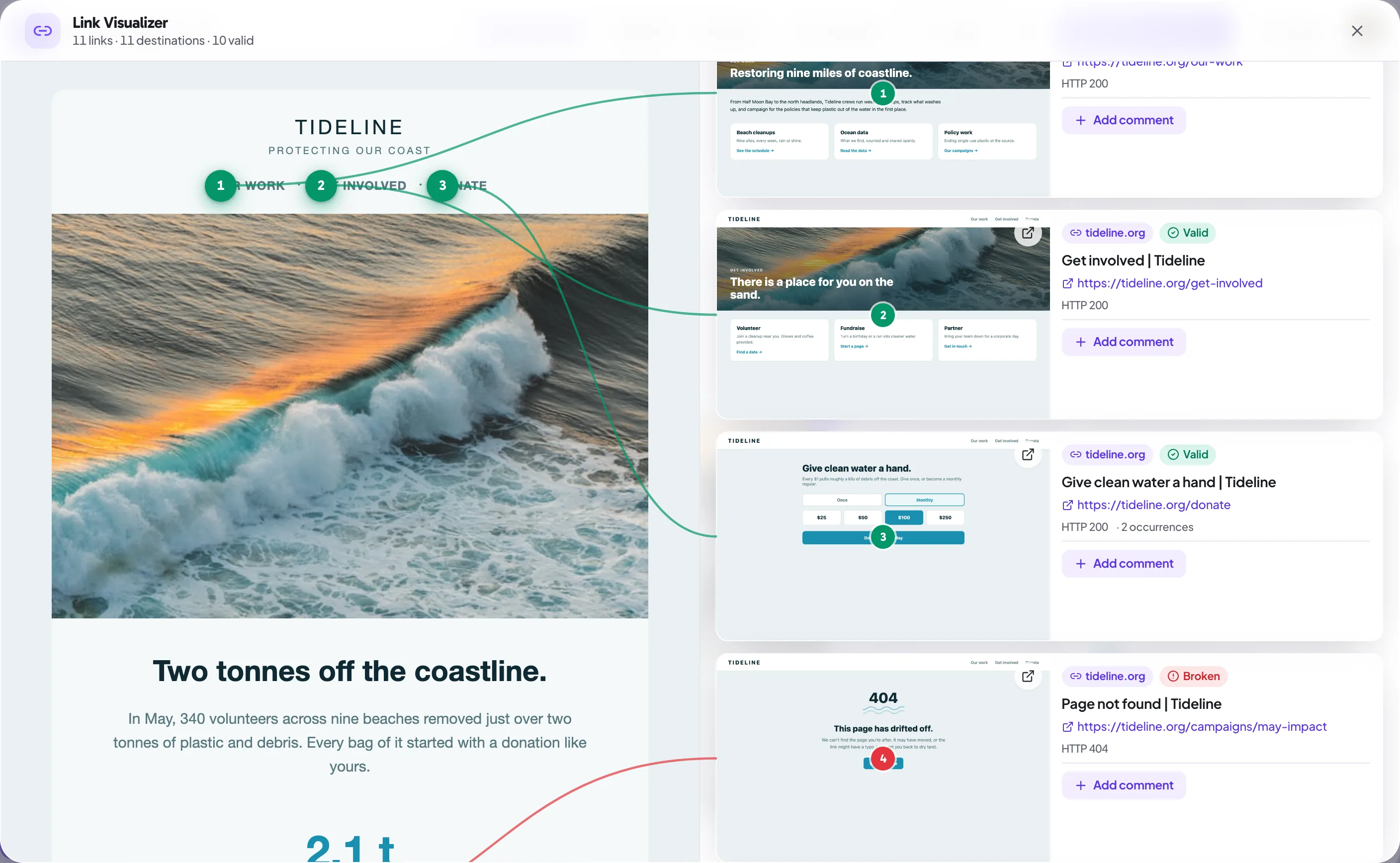
The Link Visualizer is available on Pro and above.
Email Cleanup and image compression
ProGmail clips any message whose HTML is larger than roughly 102KB, hiding the rest behind a "Message clipped" link, which can bury your unsubscribe link. Email Cleanup runs a minify-and-compress pass: it strips editor cruft, comments, and whitespace (while preserving Outlook conditional comments), and can re-compress and re-host inline images that would otherwise inflate the file.
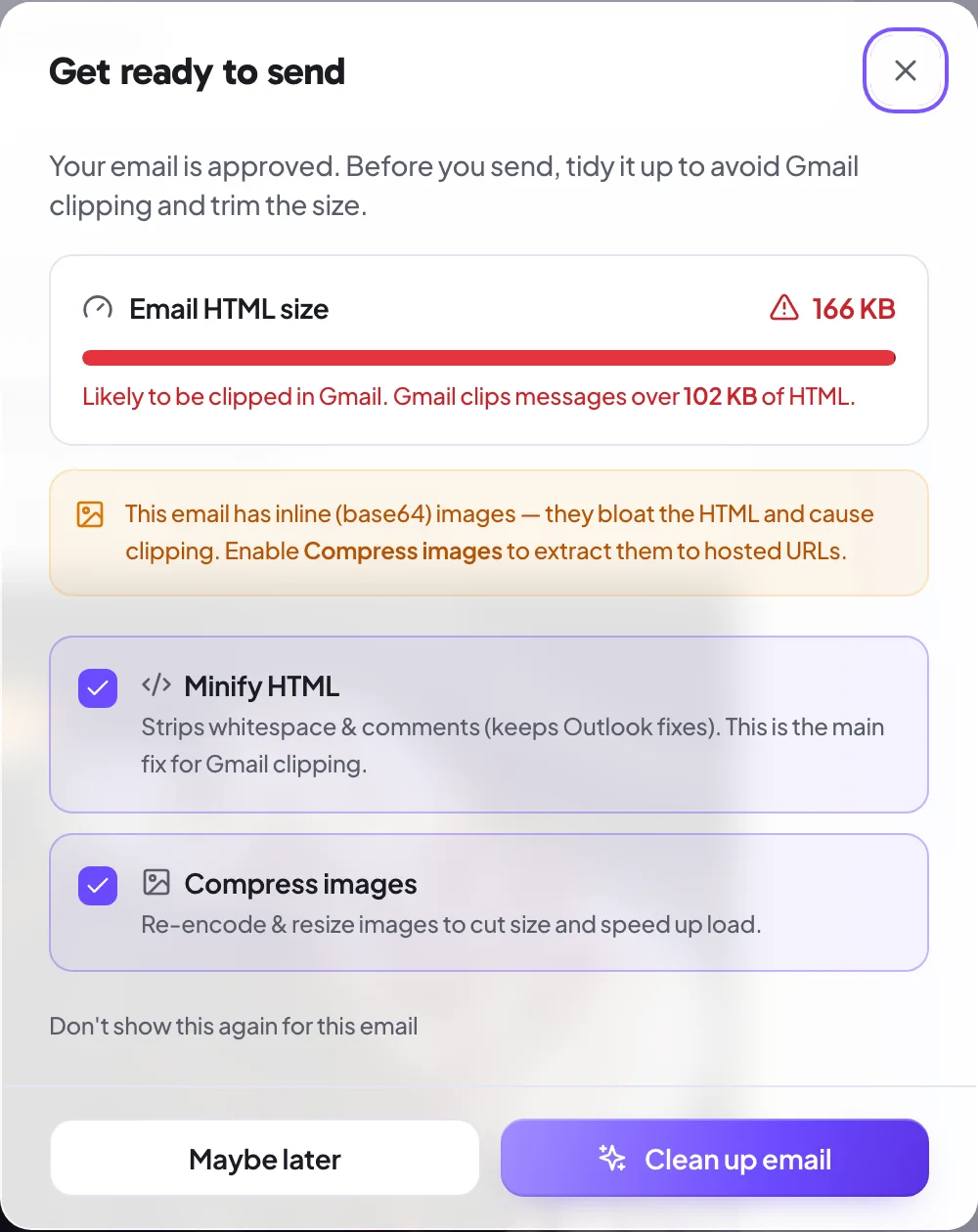
You review the cleaned version in Proofel before you export it, so nothing ships unseen. Email Cleanup is available on Pro and above.
Getting your email out (Download EML)
To take an email out of Proofel, use Download EML from the menu on a canvas in your dashboard. Proofel rebuilds a standard .eml file (subject, sender, and the reviewed HTML) that you can open in a mail client or hand off to whoever sends the campaign.
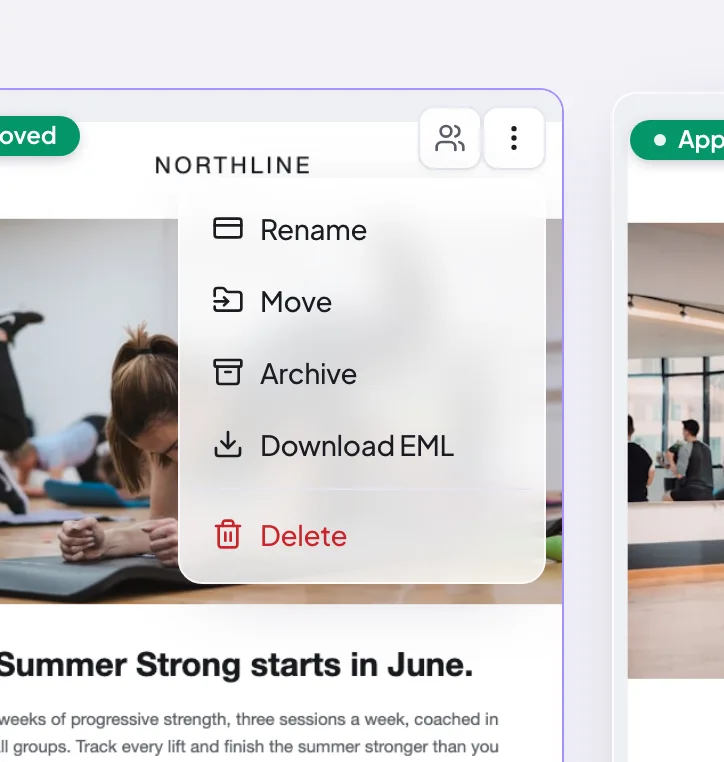
The .eml download is the supported way to get the finished email out.
Still need a hand?
Cannot find what you are looking for? Our team is happy to help.
14-day all-access trial · no credit card required · reviewers never need an account