
Feedback that lands on the pixel, not in a paragraph.
Share any HTML email as one link. Your team and your clients pin comments to the exact button, line, or image, thread the discussion, resolve it, and approve. No screenshots, no reply-all, no account for reviewers.
14-day all-access trial. No credit card required.
 Elena Marsh1h ago
Bump the price to $19 here, and confirm with @Marcus.
 Jade Kim2h ago
@Marcus can we confirm the roast is in stock before Friday?
- No account for reviewers
- No credit card to start
- Works with every ESP
- Simulates Apple Mail, Gmail & Outlook
From design done to approved, in one link.
No new file to manage and nothing for your reviewers to learn. Three steps from a finished email to a signed-off send.
- 1
Bring your email in
Forward it to your canvas address or upload the .eml. Every import becomes a version automatically, and identical content is deduplicated.
- 2
Share one link
Send a single review link to your team and your clients. Guests just enter a display name. No signup, no app to install.
- 3
Comment, resolve, approve
Feedback pins to the exact pixel, threads resolve into a worklist, and approvals come straight back to you.
Reviewers just open the link.
Send one link to a client, a stakeholder, or the whole team. Guests enter a display name and get the exact reviewing surface your team uses: pin comments, reply in threads, set statuses, resolve. No signup, no app, no license to buy for the people signing off.
- No account and no install for reviewers
- Full parity with the team viewer, not a stripped-down guest mode
- One link covers the whole team and every client
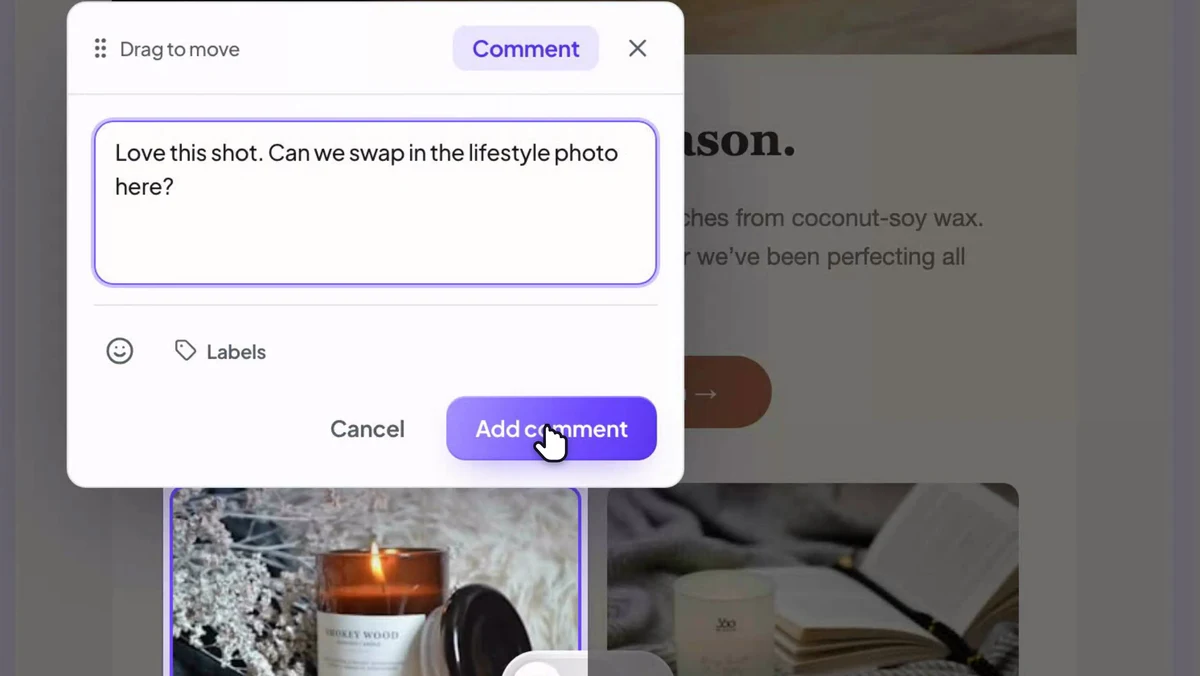
Click the email. That’s the annotation.
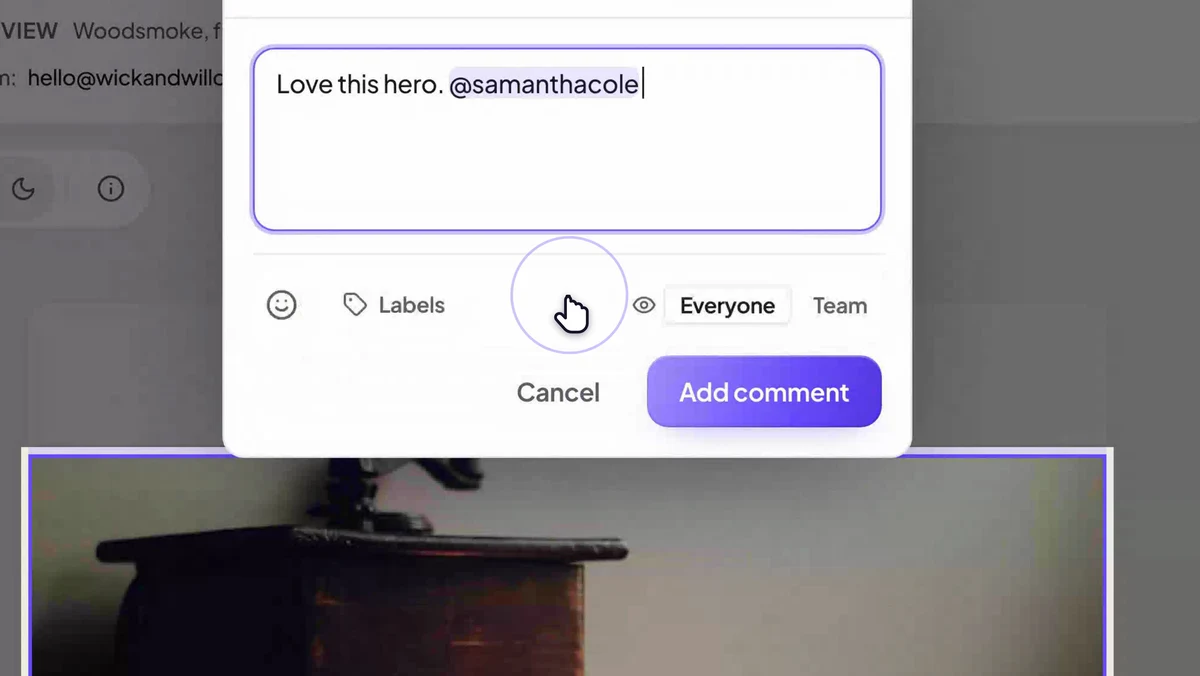
Comment mode turns the entire email into a canvas: click any element and your note pins to it, numbered, positioned, and impossible to misread. Pins stay attached to the element through every reviewer and every version, so feedback never loses its place.
- Pins anchor to the element, not just coordinates
- Numbered badges keep long reviews scannable
- Pins stay pinned across every new version
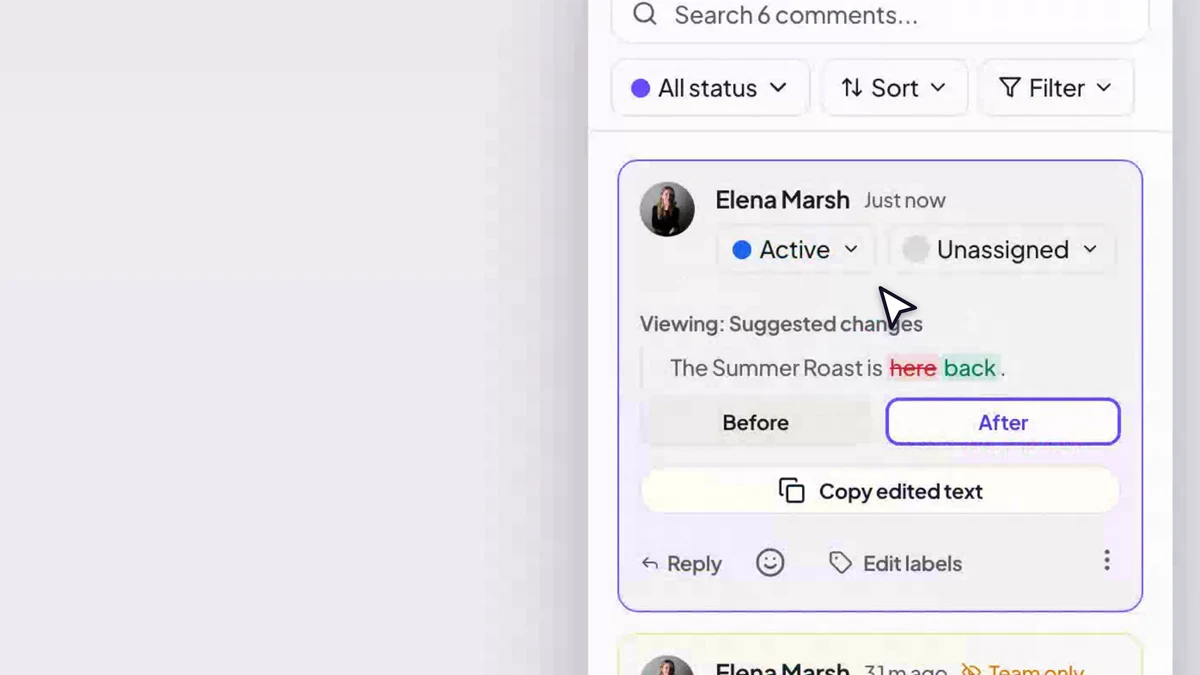
Threads that resolve, not scroll away.
Every annotation opens a thread: reply, @mention a teammate, assign it, and set a status, open, in progress, in review, resolved. Filter the sidebar to what still needs work and group feedback by label, copy, design, legal, across the whole canvas.
- Statuses plus filters turn feedback into a worklist
- @mention and assign the exact person who owns it
- Reusable comment labels, personal or team-wide
Every version kept. Every change visible.
New exports land as new versions automatically, and identical content is deduplicated. The cinematic compare wipes between any two versions in place, with changed regions highlighted in both, so “wait, what changed?” takes about four seconds to answer.
- Automatic, deduplicated version history
- Scrubbable wipe plus classic side-by-side
- Diff highlights on the regions that moved
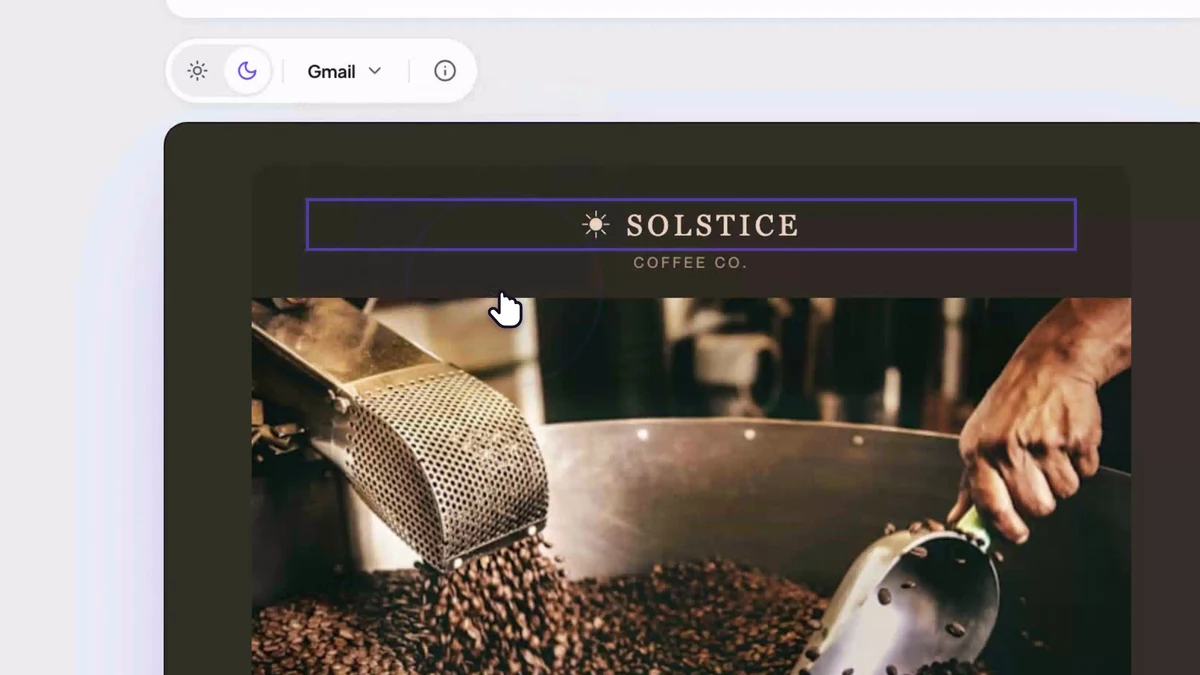
Three clients, three dark modes, zero surprises.
Apple Mail respects your dark-mode CSS. Gmail and Outlook invert your colors by force. Proofel simulates each client’s real behavior with CIELAB color-space accuracy, images untouched, exactly like the inbox, so low-contrast text and ghosted logos surface during review instead of after send.
- Per-client models: Apple Mail, Gmail, Outlook
- Honors @media (prefers-color-scheme: dark) rules
- One toggle, available to guests too
- logins asked of your reviewers
- 0
- for the whole team and every client, every campaign
- 1 link
- Apple Mail, Gmail and Outlook, dark mode simulated
- 3 clients
Built for the review, not another inbox.
Proofel sits between a finished design and an approved send. It never sends your campaign, so it drops into whatever ESP you already use.
Feedback used to arrive as screenshots with arrows drawn on them. Now the client clicks the exact button they mean and I just… fix it. Review rounds went from days to hours.

Questions, answered
- Can reviewers comment without an account?
- Yes. Guests open the share link, enter a display name, and get the same reviewing surface your team sees: pin annotations, reply to threads, set statuses, and resolve comments. No signup, no app install.
- Does Proofel send my emails?
- No. Proofel is the review-and-approval layer between "design done" and "approved to send." Bring an email in from any ESP, collect feedback and sign-off, then send it from your own tool.
- How do my emails get into Proofel?
- Forward the email to your canvas address, upload an .eml, or send a test from your ESP. Each import becomes a new version automatically, and identical content is deduplicated so the history stays clean.
- How accurate is the dark-mode preview?
- Proofel models each client separately. Apple Mail honors your authored dark-mode CSS with gentle partial inversion; Gmail and Outlook force full color inversion. The simulation uses CIELAB color-space math, so the preview matches what those clients actually do to your colors. Images are never inverted.
- How do versions get created?
- Automatically. Forward a new export to the canvas address, or upload it, and it becomes the next version. Every version stays comparable, and the cinematic compare highlights exactly what changed.
- Is there a free plan?
- Yes. Every new account starts with a 14-day all-access trial, no card required. After that you can stay on the Free plan with up to three active emails, or upgrade for unlimited emails, version compare, dark-mode simulation, and team collaboration.
Your next review could look like this.
Share an email with one link, and watch the feedback arrive on every pixel.
14-day all-access trial · no credit card required · reviewers never need an account