
Everything between design done and approved to send.
One link does four jobs: collect feedback on the exact pixel, verify every detail, route the approval, and keep the record — no logins for your reviewers.
14-day all-access trial · no credit card required · reviewers never need an account
From design done to approved to send
Proofel is the review layer between your design tool and your ESP — five steps, one link.
- 1
Get the email in
Forward it to your canvas’s address or upload the file — every version lands in one place.
- 2
Share one link
Reviewers open it in the browser. No accounts, no installs, no “can you resend that?”
- 3
Feedback lands on the pixel
Comments pin to the exact element — the button, the headline, the logo.
- 4
Compare versions
Wipe between any two versions and watch exactly what changed.
- 5
Approve and ship
Route sign-off through the right people and keep the audit trail.
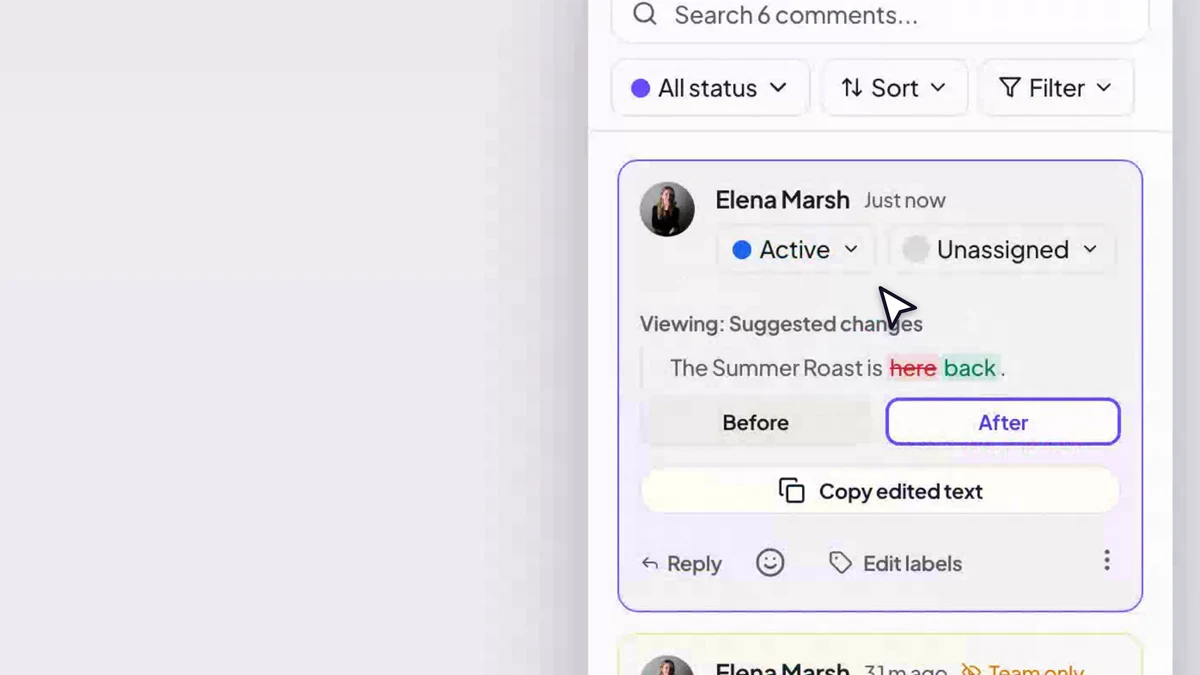
Click the email. That’s the annotation.
Reviewers click the email itself — the headline, the CTA, the logo — and their comment pins to that exact element. Threads, @mentions, statuses, private notes, and resolve states keep every note actionable instead of buried in an inbox.
- Pixel-pinned annotations with threads and statuses
- @mention and assign teammates to a comment
- Comment labels and a searchable, filterable sidebar
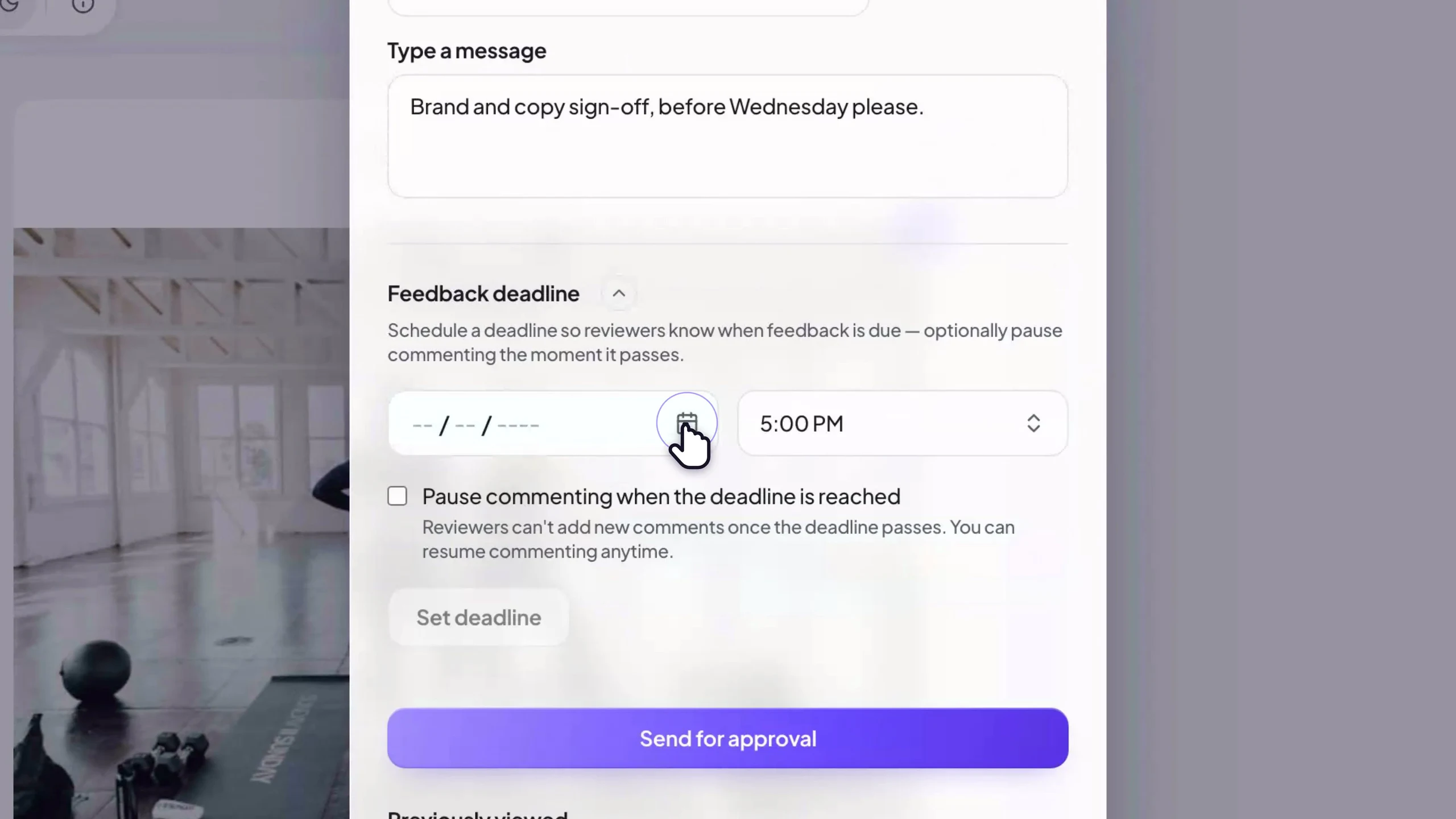
Route the approval, keep the audit trail.
Send one link and collect sign-off from the right people. Add a single approver on Free, or route through multiple approvers with deadlines and reminders on Pro — every decision stamped with who approved what, and when.
- Single approver on Free, multi-step routing on Pro
- Deadlines with reminders and optional auto-pause
- A full audit trail of every approval decision
Clients and guests approve from one link, on any device.
Guest reviewers open the share link, put in a name, and review — comment, annotate, approve or request changes, right from a phone. No invite emails to chase, no password reset for someone who signs in twice a year.
- Unlimited guest reviewers on every plan
- Client and team review the same email together
- Password-protect the link when a campaign is sensitive





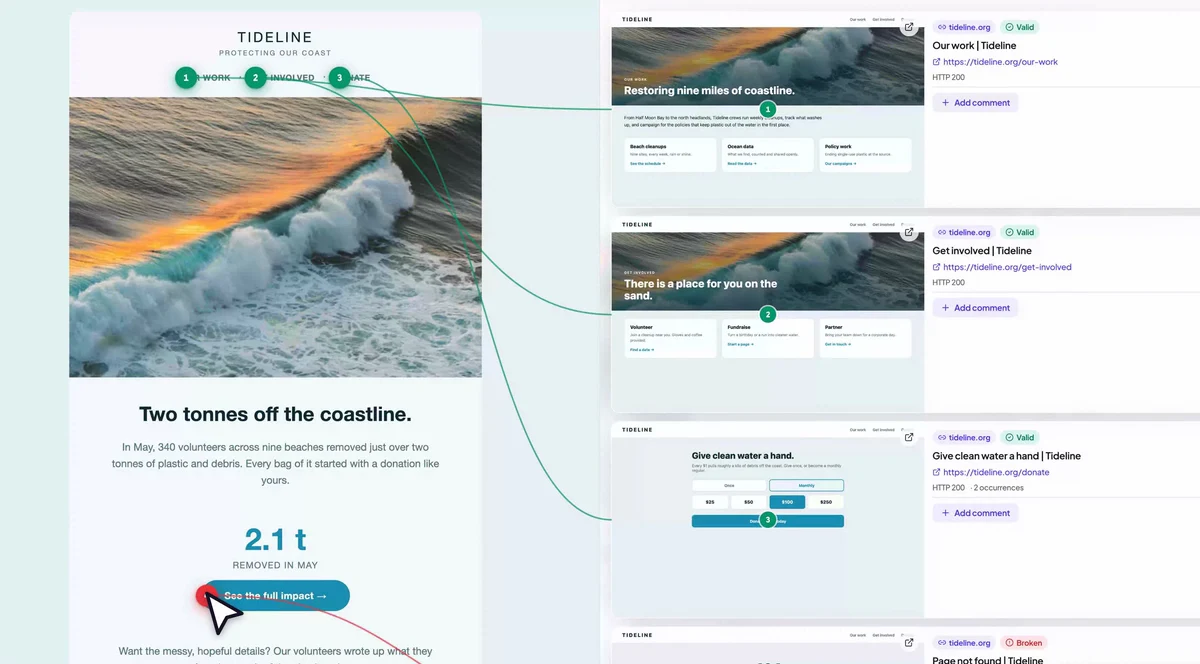
Verify every detail before the send.
Preview through 20 client lenses with per-client dark mode, blocked images, and the Gmail clip line located in the document — free on every plan. On Pro, the pre-send report scores it, lints the Word engine down to the line, and measures WCAG AA contrast inside the dark inversion.
- 20-client preview and dark-mode simulation on every plan
- Scored pre-send report with support-matrix and accessibility checks
- Numbered link badges + destination screenshots and HTTP status
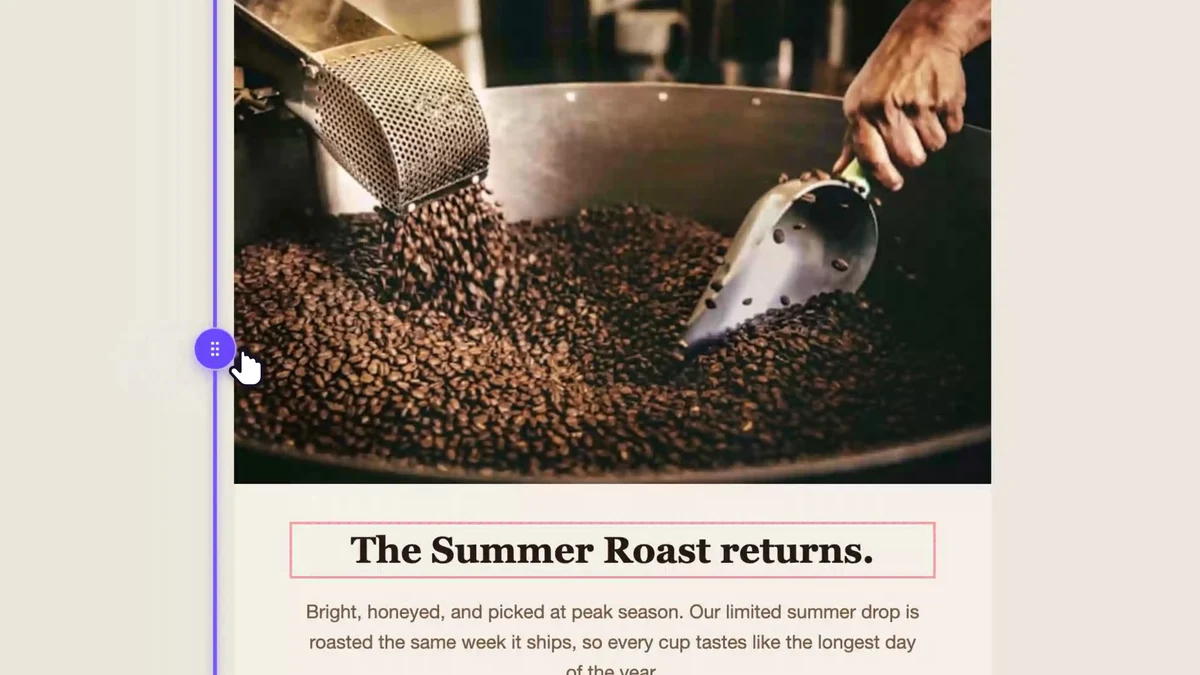
Every version kept. Every change visible.
Forward a new export and it lands as v2, v3, v4 automatically. The cinematic compare wipes between any two versions in place, so “what changed?” is something you see, not something you hunt for.
- Automatic, deduplicated version history
- Scrubbable wipe + side-by-side compare modes
- Changed regions highlighted in both versions
One workspace for your whole team.
Team workspaces share campaigns, tags, and comment labels. Roles keep permissions sane, team-only comments keep internal notes off the client link, and 3 seats are included (add more at $10/seat).
- Shared workspace with roles and permissions
- Team-only comments guests never see
- Shared tag and label library, consistent across campaigns
Everything reviewers ask for. Nothing they have to learn.
The full toolkit: pinned feedback, pre-send checks, and a pipeline that keeps every campaign moving.

Notifications & digests
Instant, every-30-minutes, or a once-a-day digest — per event, in your timezone.
⌘K everything
Jump to any campaign, flip themes, create canvases — without touching the mouse.
Feedback used to arrive as screenshots with arrows drawn on them. Now the client clicks the exact button they mean and I just… fix it. Review rounds went from days to hours.

Our legal reviewer will not create an account for anything. She opens the Proofel link, leaves her notes, hits approve. That alone sold it internally.

The Link Visualizer caught a promo link pointing at last season’s landing page, the night before a 400k send. It has paid for itself several times over.

- where Gmail clips your email mid-sentence
- 102KB
- each with its own idea of what dark mode means
- 3 clients
- where all of your review now happens
- 1 link
What Proofel is not
Proofel doesn’t send your campaigns and it won’t design them for you — it’s not an ESP or a template builder. It’s the review step in between: where feedback, versions, and approvals live before you hit send.
Start free. Upgrade when the team does.
Questions, answered
- Do reviewers need a Proofel account?
- No. Guests open a share link, enter a display name, and can comment, annotate, and approve. Accounts are only needed to create and manage emails, and guest reviewers are unlimited on every plan.
- How do emails get into Proofel?
- Each canvas gets its own permanent email address — forward a campaign (or send a test from your ESP) and it appears as a new version automatically. You can also upload an .eml file.
- Which features need a paid plan?
- Free on every plan: Unlimited guest reviewers, Unlimited canvas versions, Comments & annotations, Mention & assign reviewers in comments, Private comments, Activity feed, Download email as .eml, Pause commenting, Client preview: 20 clients, dark mode, blocked images, Gmail clipping & inbox-row preview, and Sending-domain deliverability check. Nothing about previewing the email is paid — the dark-mode simulator, the 20-client lens, blocked images, inbox rows, the Gmail clipping gauge and the deliverability check are all on Free. On Pro, Approval routing goes from Single to Multi-step. Pro adds Kanban view & filters, Link Visualizer, Pre-send report (100-point score), Client support matrix & Outlook lint, Accessibility audit (incl. dark-mode contrast), One-click auto-fix, SpamAssassin spam score, Send a test to your own inbox, Email Cleanup & Compress Images, Cinematic version compare, Password-protected links, and Feedback deadlines & auto-pause. Team adds Team workspace & roles, Shared tags & labels, Team-only comments & annotations, and Mention & assign anyone in your team workspace.
- Does Proofel send my campaigns?
- No — Proofel is the review step, not an ESP. You keep sending from Klaviyo, Mailchimp, Braze, HubSpot, or wherever you already send.
- How does the free trial work?
- Every new account gets 14 days of full, all-access Team features — no credit card required, nothing charged automatically. When the trial ends you keep a Free plan (3 active emails, unlimited guest reviewers and versions) unless you upgrade. Paid plans start at $19/month.
See it with your own email.
Forward a campaign to your canvas address and it’s reviewable in under a minute.
14-day all-access trial · no credit card required · reviewers never need an account