
Stop approving email campaigns in reply-all threads.
Share one link. Reviewers pin feedback on the exact pixel — no logins, no screenshots — and approvals land in one place.
14-day all-access trial · no credit card required · reviewers never need an account
“Our legal reviewer will not create an account for anything. She opens the Proofel link, leaves her notes, hits approve. That alone sold it internally.”
Works with every ESP you already send from.
- Klaviyo
- Mailchimp
- Braze
- HubSpot
Forward a test send from anywhere and it lands as a new version. Proofel is the review step before the send — it doesn’t replace your ESP.
You know this thread.
Subject: RE: RE: FW: FINAL_v7 — feedback in five inboxes, a marked-up PDF, and one approval that never arrives.
Before — the reply-all review
Four tools, zero source of truth, one missed deadline.
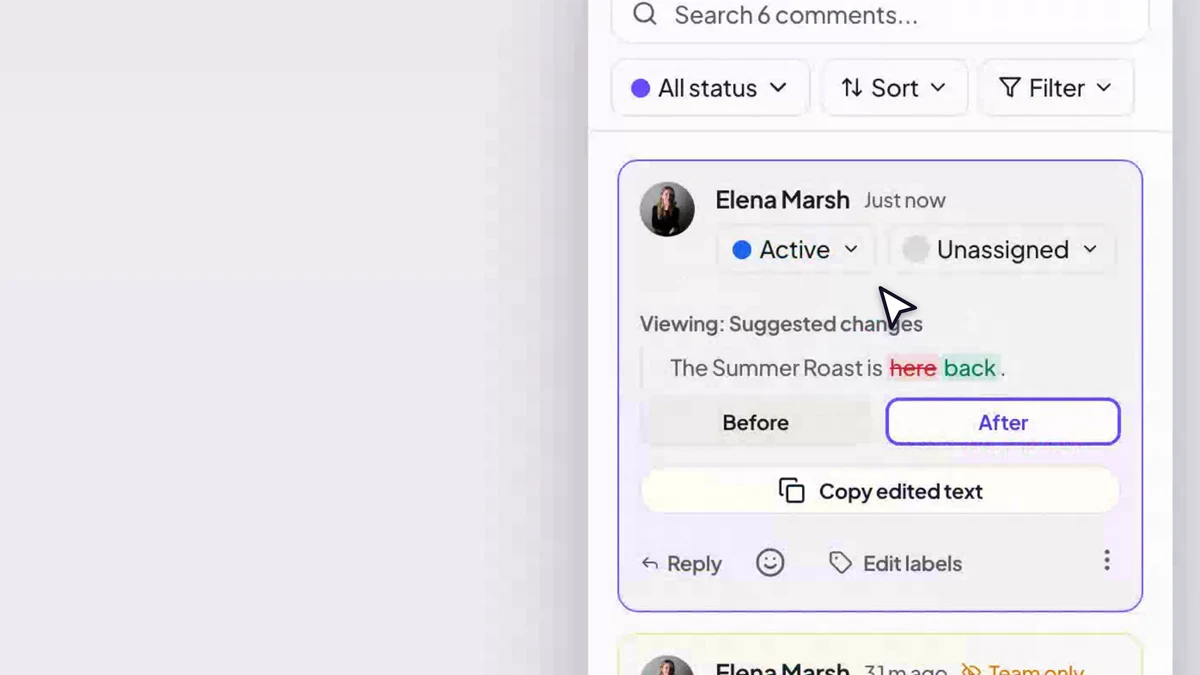
After — feedback lives on the email itself.
From design done to approved to send
Proofel is the review layer between your design tool and your ESP.
- 1
Get the email in
Forward it to your canvas’s address or upload the file — every version lands in one place.
- 2
Share one link
Reviewers open it in the browser. No accounts, no installs, no “can you resend that?”
- 3
Feedback lands on the pixel
Comments pin to the exact element — the button, the headline, the logo.
- 4
Compare versions
Wipe between any two versions and watch exactly what changed.
- 5
Approve and ship
Route sign-off through the right people and keep the audit trail.
Everything reviewers ask for. Nothing they have to learn.
The full toolkit: pinned feedback, pre-send checks, and a pipeline that keeps every campaign moving.
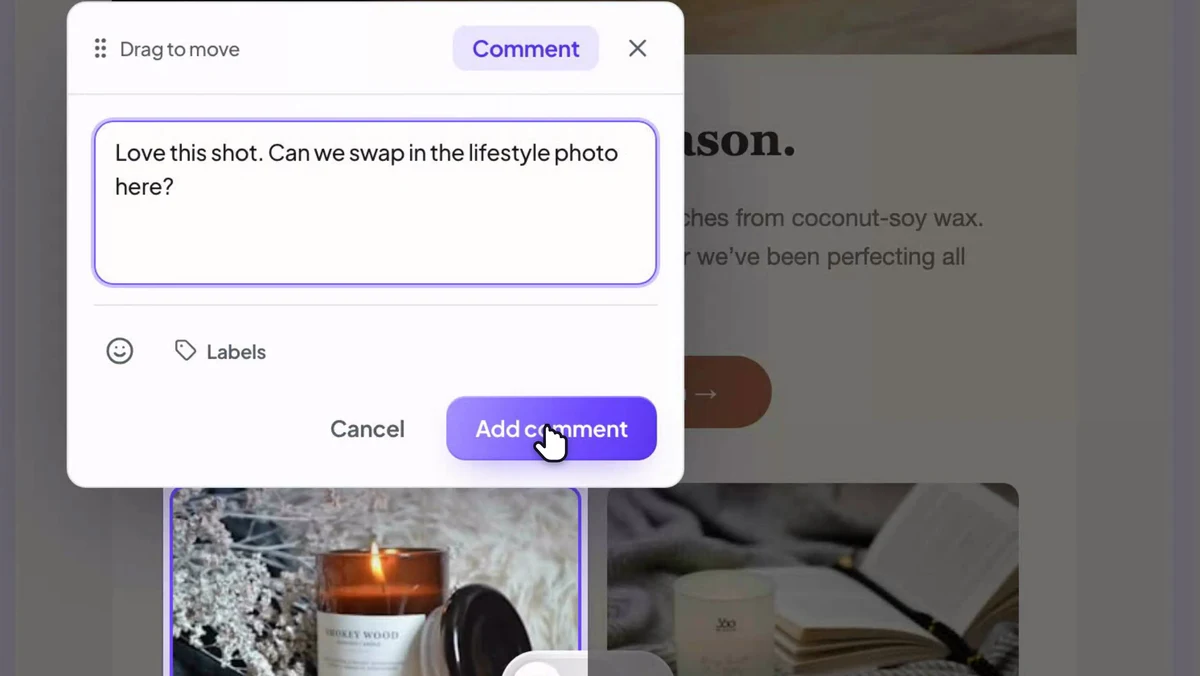
Easier to see than to explain.
Open a real campaign mid-review — pinned comments, two versions, and the dark-mode toggle. No account, nothing to install.
14-day all-access trial · no credit card required · reviewers never need an account
Feedback used to arrive as screenshots with arrows drawn on them. Now the client clicks the exact button they mean and I just… fix it. Review rounds went from days to hours.

Our legal reviewer will not create an account for anything. She opens the Proofel link, leaves her notes, hits approve. That alone sold it internally.

The Link Visualizer caught a promo link pointing at last season’s landing page, the night before a 400k send. It has paid for itself several times over.

Start free. Upgrade when the team does.
Every account starts with a 14-day all-access trial — no credit card. Pay annually and save over 20%.
Free
For getting started.
- 3 active emails and 3 campaigns
- Unlimited guest reviewers, versions and comments
- Preview in 20 email clients, desktop and mobile
- Dark-mode, blocked-image and Gmail-clipping previews
- The all-in-one email checker, free and unlimited
Pro
For solo creators who send a lot.
Billed $179/yr · save $49
- Everything in Free, unlimited
- The full pre-send report: 100-point score, 15+ checks
- Accessibility, Outlook and 20-client support analysis
- One-click auto-fix, SpamAssassin score and test sends
- Email cleanup, Link Visualizer and version compare
- +1 more
Team
For teams reviewing together.
Billed $469/yr · save $119
3 seats included, then $10/seat/mo
- Everything in Pro, for your whole team
- 3 seats included, then $10/seat/mo
- Shared workspace, campaigns, tags and labels
- Roles, permissions and team-only comments
- Mention and assign anyone in the workspace
Built for the people who own the send.
Questions, answered
- Do reviewers need a Proofel account?
- No. Guests open a share link, enter a display name, and can comment, annotate, and approve. Accounts are only needed to create and manage emails.
- How do emails get into Proofel?
- Each canvas gets its own permanent email address — forward a campaign (or send a test from your ESP) and it appears as a new version automatically. You can also upload an .eml file.
- Does Proofel send my campaigns?
- No — Proofel is the review step, not an ESP. You keep sending from Klaviyo, Mailchimp, Braze, HubSpot, or wherever you already send.
- How does the free trial work?
- Every new account gets 14 days of full, all-access Team features — no credit card required, nothing charged automatically. When the trial ends you keep a Free plan (3 active emails, unlimited guest reviewers and versions) unless you upgrade. Paid plans start at $19/month.
You’re one link away from calmer approvals.
Set up your first email in two minutes — forward it in, share the link, watch the feedback land where it belongs.
14-day all-access trial · no credit card required · reviewers never need an account