
Versions & compare
How versions are created, browsing history, and comparing two drafts side by side.
How versions are created
Most versions arrive automatically: forward a new export to the email's address (or upload a new .eml) and it becomes the next version, numbered in order. Identical content is deduplicated, so a re-send of the same file will not pile up duplicates.
You can also add one yourself. Open the versions panel and choose New version, then give it a name in the dialog.
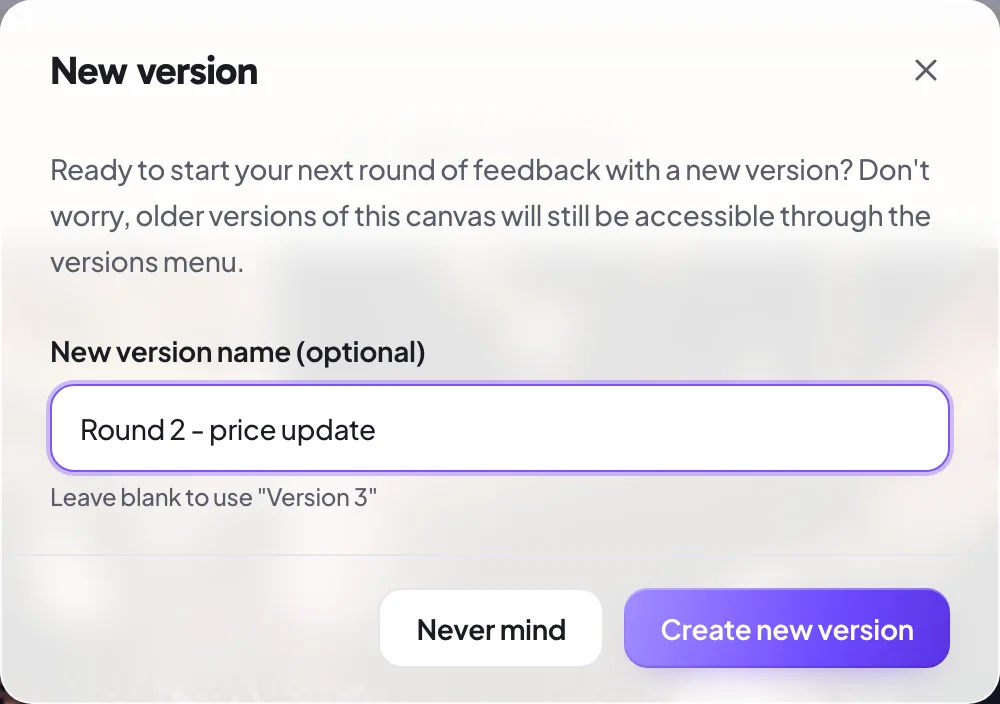
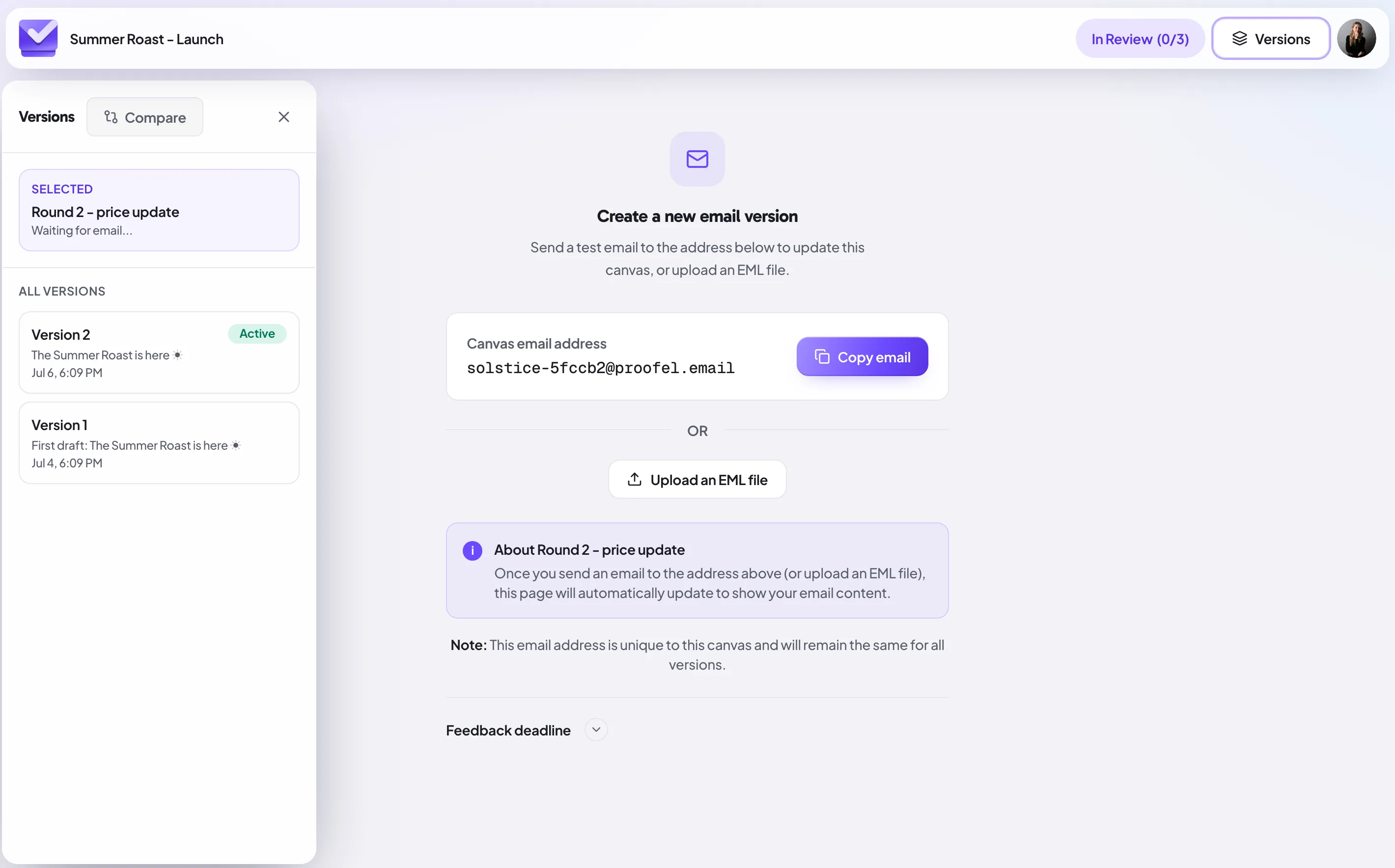
Proofel then creates an empty slot with the versions sidebar open, waiting for you to forward or upload the draft.
Version history and naming
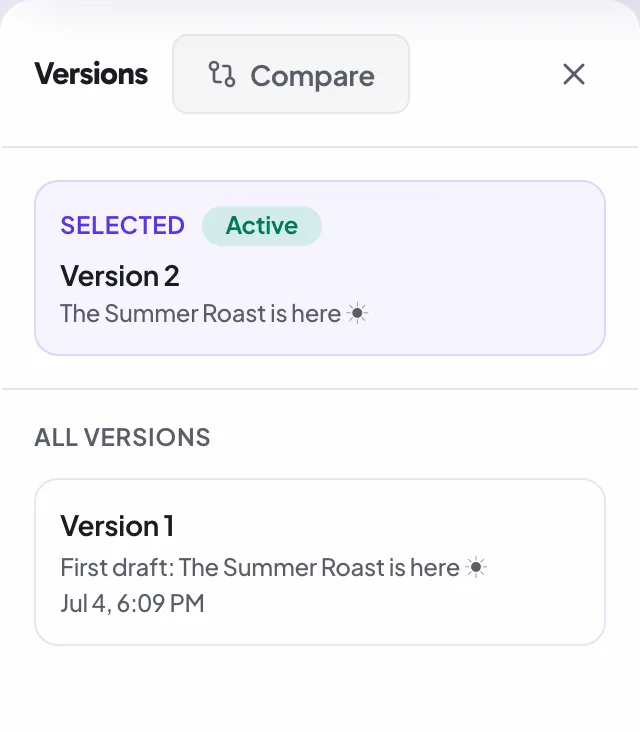
The version panel lists every draft with its number, subject, and timestamp. Switch between versions to see the design and the comments that belong to each one. Rename a version inline to give it a label your team will recognize, like "final for legal."
Delete a version you added by mistake
Sent the wrong export to an email's address? Open the versions panel and use the trash icon in the top-right corner of the version you want gone. Proofel tells you first what goes with it — any comments, annotations and approvals recorded on that version — and once deleted it disappears for everyone, including reviewers and anyone holding a share link.
Deleting is recoverable: the version moves to Recently deleted at the bottom of the panel, where you can restore it for 30 days. Only the owner of the email can delete or restore a version, and an email always keeps at least one — if you want to remove the last one, delete the whole email instead.
Compare two versions
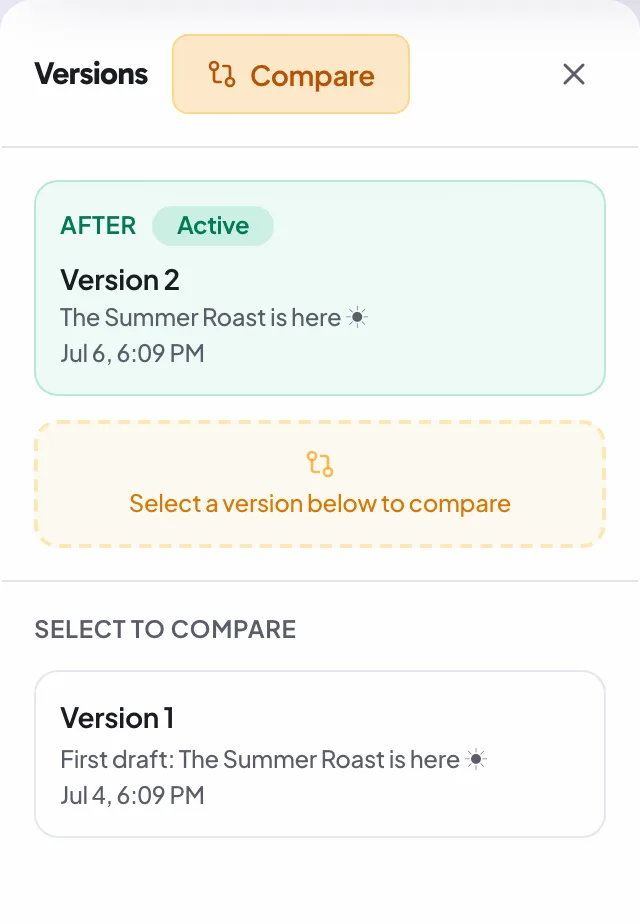
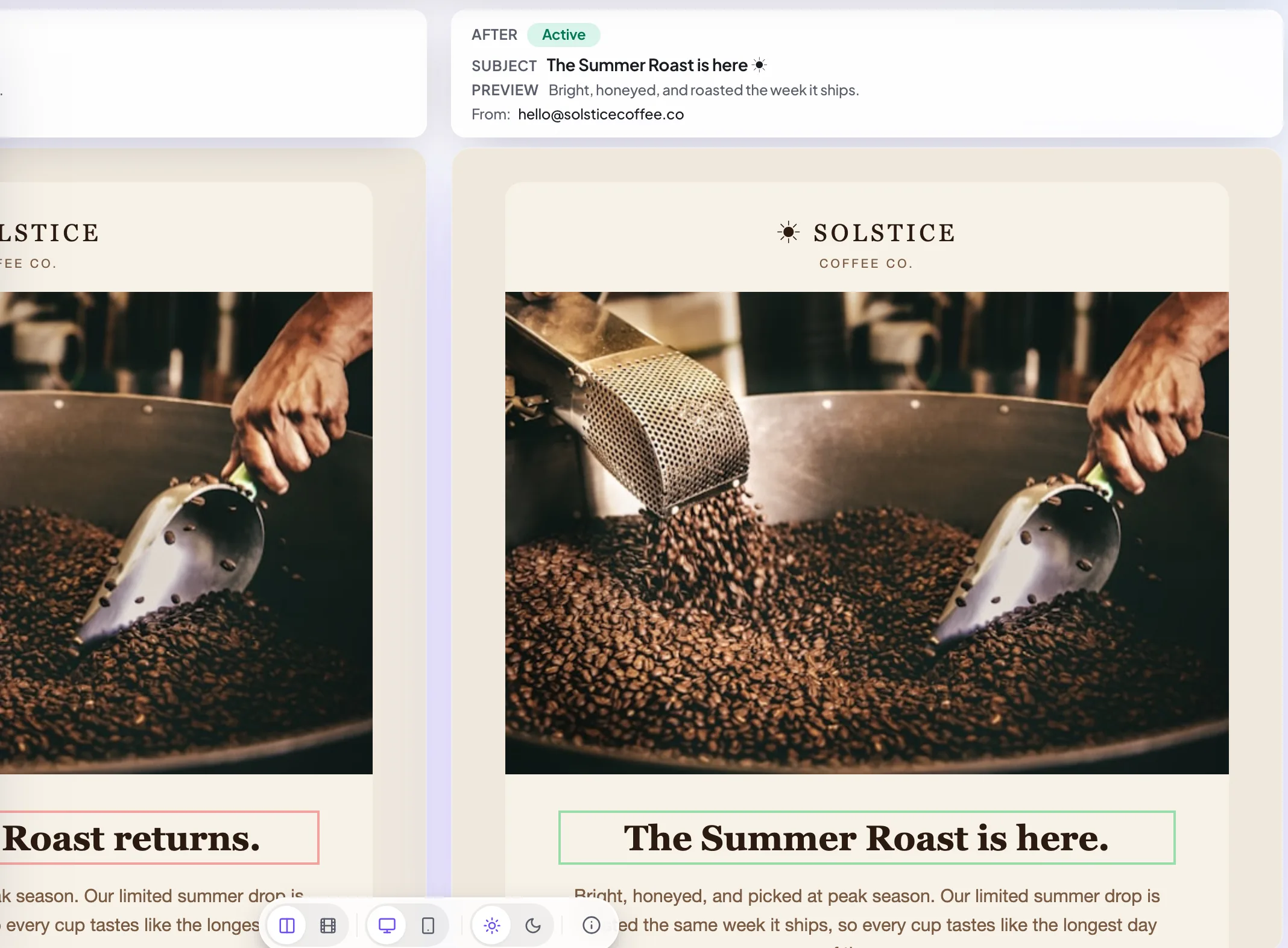
Switch on Compare in the versions panel and pick a second version. Proofel shows both, defaulting to a side-by-side view with synced scrolling, so you can read the two drafts in parallel and spot exactly what moved.
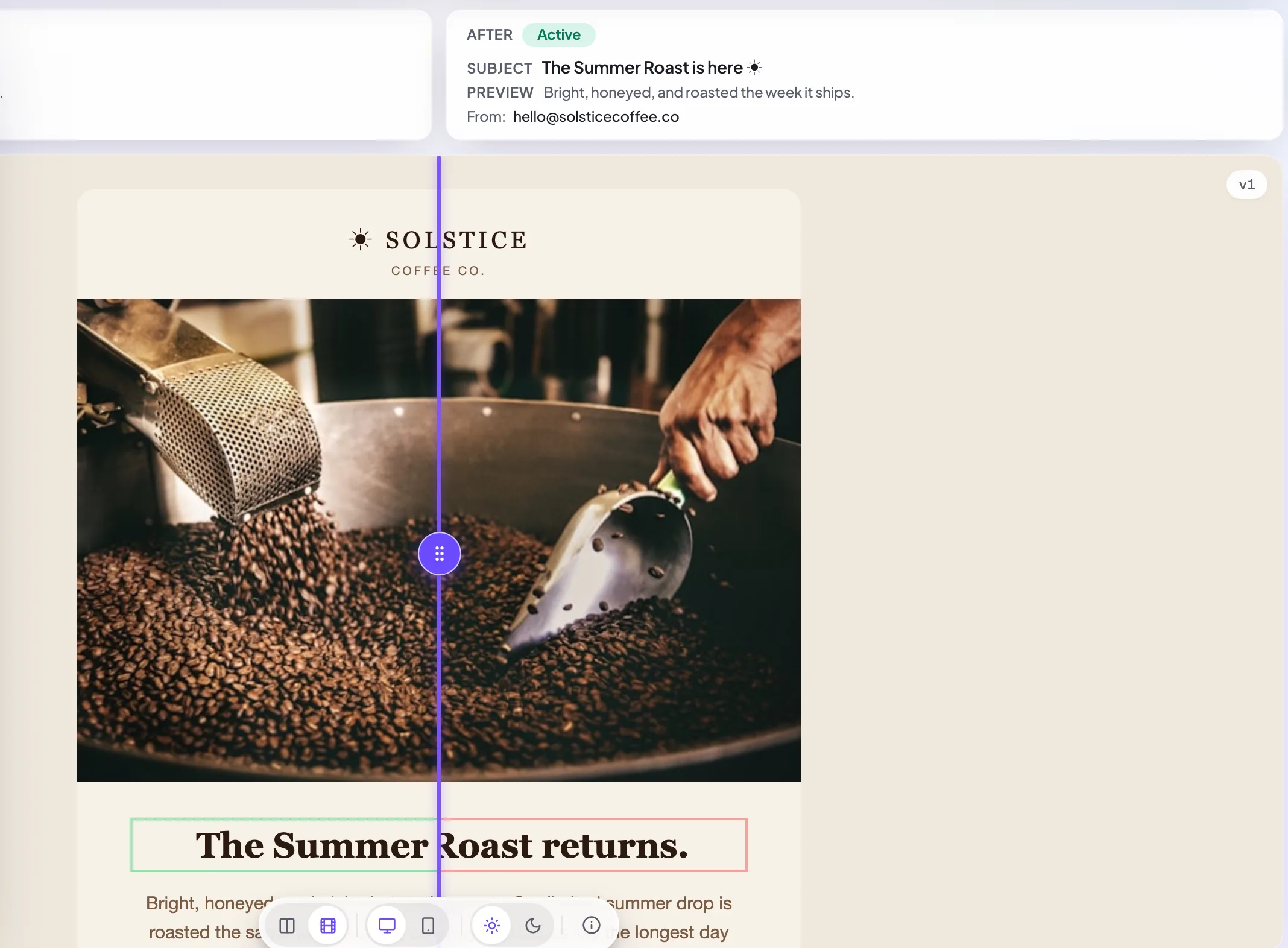
Cinematic (wipe) compare
ProFor a closer look, use the view toggle at the top of the compare view to switch from side-by-side to cinematic: the two versions stack and a draggable divider wipes between them, so a moved button or a changed color is unmistakable. It respects reduced-motion preferences and is available on Pro and above.
Reading the diff
In compare, changed regions are highlighted so your eye goes straight to what moved, and comments stay attached to the version they were made on. That means you are reading the design change and the feedback that drove it together as you step through versions from first draft to approved.
Still need a hand?
Cannot find what you are looking for? Our team is happy to help.
14-day all-access trial · no credit card required · reviewers never need an account